1. Automatic machine-state capture
The system should know when equipment is running or stopped without relying entirely on manual production records.

OEE SOFTWARE BUYER'S GUIDE
The right OEE platform should do more than calculate a percentage. It should make production losses visible, connect to the machines you already own, and give operators and managers information they can act on during the shift.
START WITH THE OUTCOME
OEE combines Availability, Performance and Quality, but the useful part is not the headline score by itself. Manufacturing teams need to understand where production time and output are being lost, which machines or shifts need attention, and whether corrective actions are improving the result.
Before comparing products, define the decisions the system must support. Typical examples include identifying the largest downtime causes, seeing whether a line is behind target, understanding recurring micro-stops, comparing shifts, and confirming whether a change improved output.
If you need a refresher on the formula first, see how to calculate OEE or use the ClearRivet OEE calculator.
VERIFY THE PRODUCT, NOT JUST THE CLAIMS
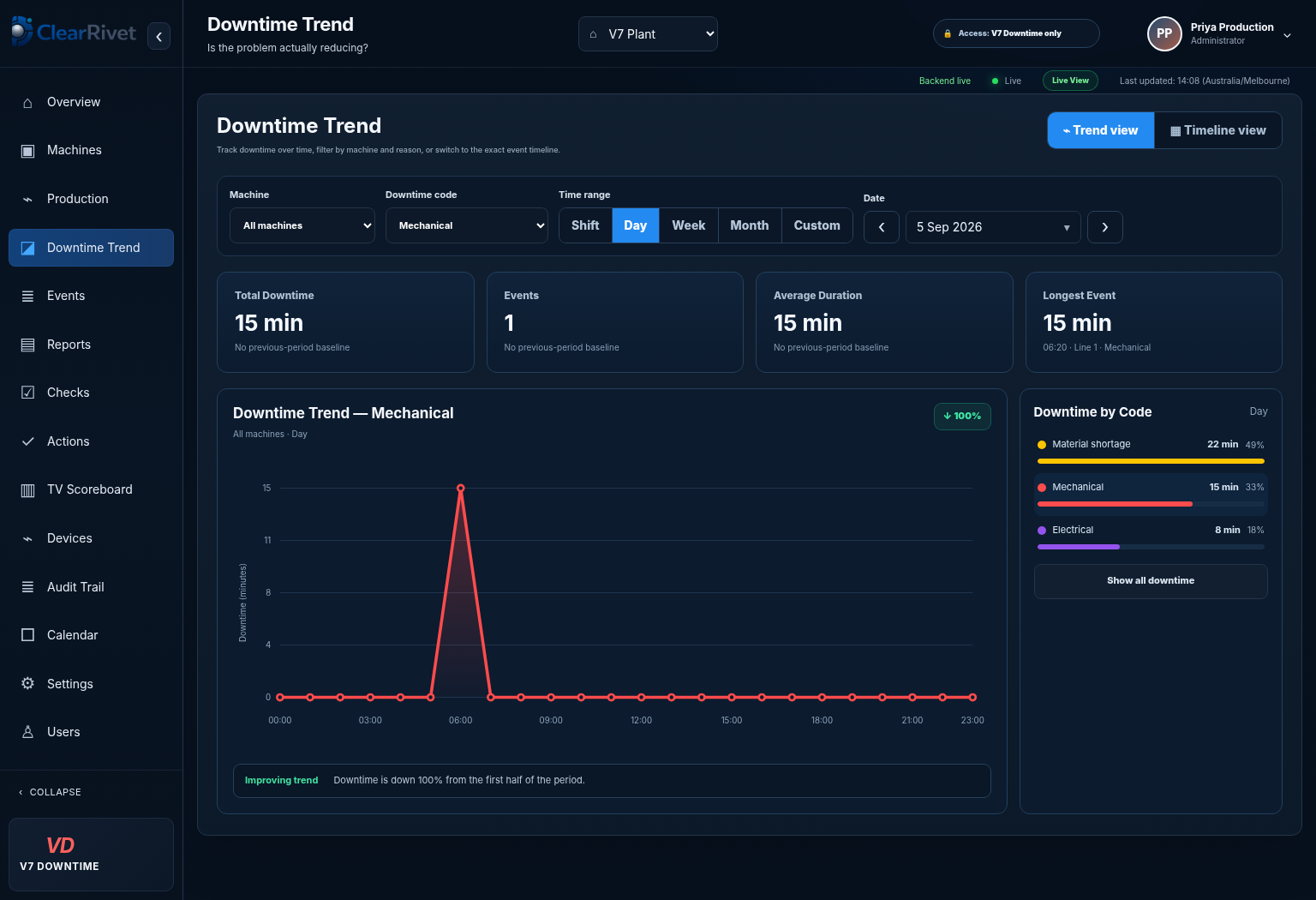
When comparing OEE software, request a live view of how a stop moves from machine signal to event record, reason, trend and loss analysis. The screenshot here is an actual ClearRivet application view from a working test plant.
BUYER CHECKLIST
The system should know when equipment is running or stopped without relying entirely on manual production records.
Check how actual output is captured, how counter resets or anomalies are handled, and whether the method suits your machine.
Operators need a fast way to add meaningful context to stops without turning the process into extra administration.
Availability, Performance and Quality should be visible separately so the team can identify the loss mechanism.
Look for downtime Pareto, repeated-loss trends, shift comparisons and drill-down from a KPI into the events behind it.
Historical reporting is useful, but supervisors also need to know during the shift whether production is ahead or behind plan.
A technically capable system still fails if operators avoid it or managers need specialist training to extract basic answers.
Confirm support for the signals and protocols you actually have, including digital I/O, PLC connections, Modbus or OPC UA where required.
OLDER EQUIPMENT
Many factories operate a mixed fleet: modern PLC-controlled assets alongside older machines with limited connectivity. A practical OEE deployment should account for both.
Where a machine already exposes suitable PLC data, the monitoring layer may be able to read production states and counts from the controller. Where it does not, digital signals and industrial I/O can often provide the minimum information required for run state and production count.
For more detail, see legacy machine monitoring, PLC production monitoring, Modbus production monitoring and OPC UA production monitoring.
PRICING
OEE software pricing is difficult to compare when one vendor quotes only the software subscription and another includes hardware, setup or commissioning.
Ask every supplier to separate the following: monthly or annual software fee, machine or line licensing, hardware, installation, commissioning, integration, training, user or site limits, support, data retention and any required professional services.
ClearRivet publishes its pricing so buyers can compare it directly. See the current ClearRivet pricing page for the subscription, included setup and trial terms.
IMPLEMENTATION
OEE projects often become unnecessarily large because teams try to standardise an entire site before proving one machine or line. A smaller pilot makes it easier to validate signal quality, counting logic, operator workflow, target rates and downtime categories.
Ask what can be demonstrated on a real machine, how long commissioning normally takes, what the plant team must provide, and what happens if the data is unreliable.
ClearRivet's implementation approach is designed around starting small and proving value before expansion. See implementation and how ClearRivet works.
SPREADSHEETS, BI OR MES?
Excel and Power BI can be useful for analysis when accurate data already exists. They do not automatically solve machine-state capture, production counting or operator downtime context. At the other end of the spectrum, an MES can cover much broader manufacturing execution requirements but may introduce more scope, integration and implementation effort than an OEE initiative requires.
If the immediate goal is live production visibility and actionable loss data, dedicated production monitoring or OEE software may be the more focused starting point. See production monitoring vs MES vs SCADA.
VENDOR QUESTIONS
WHERE CLEARRIVET FITS
ClearRivet combines live machine status, OEE, production-versus-target, downtime reason capture, Pareto analysis, order tracking, Andon visibility and shift handover in one manufacturing-focused platform.
The platform is intended to work across existing equipment using appropriate machine signals or PLC connectivity, with a one-machine trial available to validate the approach on the plant floor.
COMMON QUESTIONS
At minimum, it should capture planned production time, run and stop states, production counts, ideal or target rate, quality output and the downtime context needed to calculate Availability, Performance and Quality.
Often yes. Depending on the machine and available signals, older equipment can be monitored through digital inputs, counters, PLC connections or industrial gateways without replacing the machine controls.
Compare the total deployed cost, not just the subscription. Include hardware, setup, commissioning, integration, training, support, user limits and any additional charges for dashboards or sites.
No. OEE software focuses on productive effectiveness and production losses. MES platforms usually cover a broader set of execution functions and may require a larger implementation.
EXPLORE MORE
See it. Then prove it.