Plant managers
See current performance, output, OEE and the losses needing attention.

FOR MANUFACTURING TEAMS
The same production data should help operators respond in the moment, managers prioritise the plant, CI teams quantify losses and engineering teams investigate recurring events.
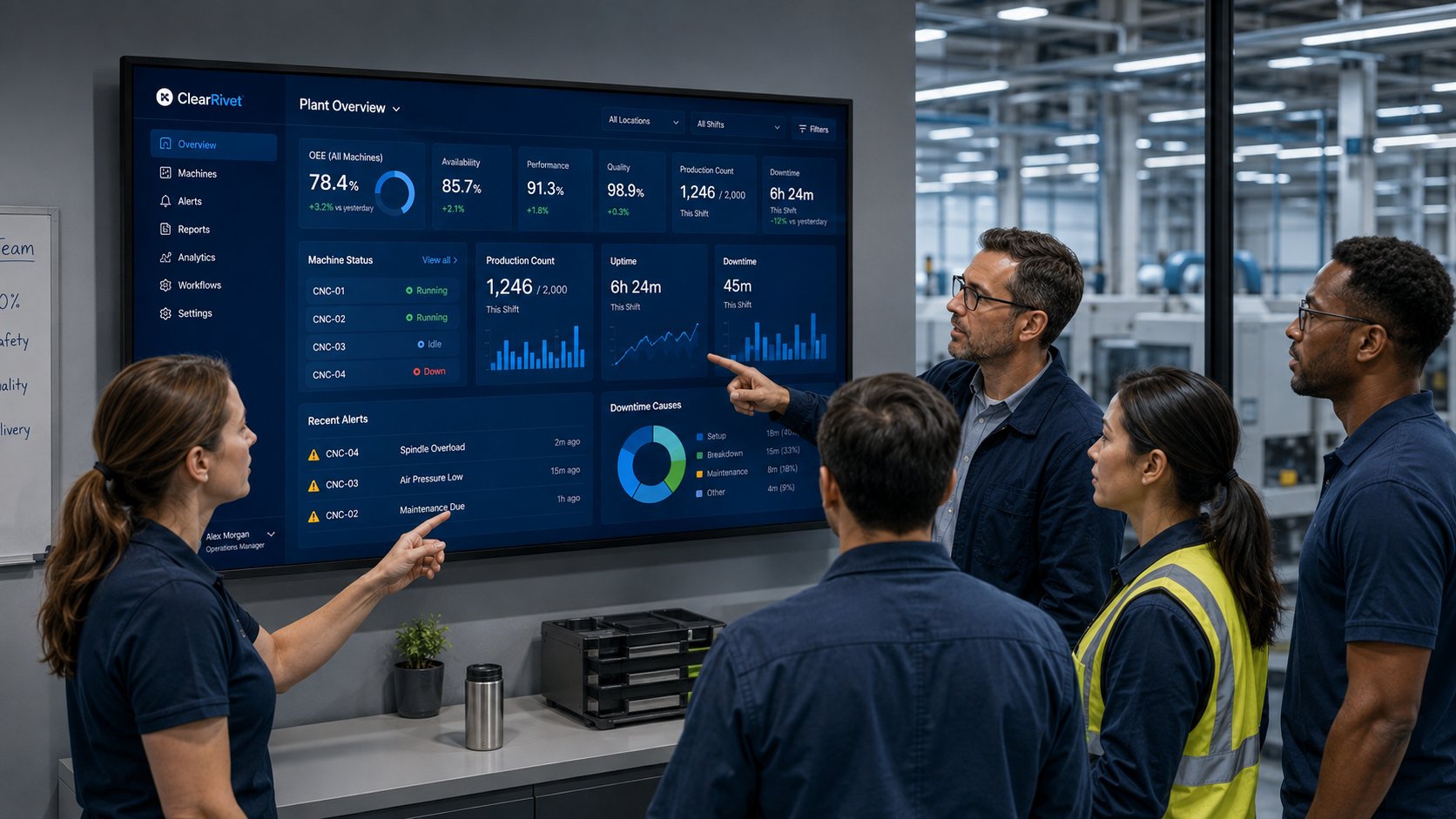
TEAM HUDDLES
ClearRivet helps team meetings stay grounded in what is happening now. Use a live screen view to review machine status, downtime, output and OEE together so priorities are clearer and follow-up actions are faster.
WHAT MATTERS
ClearRivet is intended to give manufacturing teams a common view of machine status, production, downtime and OEE without turning every improvement project into a full MES deployment.
See current performance, output, OEE and the losses needing attention.
Compare sites, machines, shifts and production trends using consistent definitions.
Baseline recurring losses and verify whether countermeasures held.
PRACTICAL USE
Investigate event history, recurrence and machine-data context.
COMMON QUESTIONS
ClearRivet is designed around role-appropriate workflows and permissions, while retaining a common production-data basis.
Operator workflows can capture downtime reasons, checks, comments and other configured production context.
Manager and overview workflows are designed to provide plant-level visibility across authorised machines.
EXPLORE CLEARRIVET
See it. Then prove it.